高斯模糊
高斯模糊/平滑是消除图像和视频中噪声的最常用的平滑技术。 在这种技术中,应将图像与高斯核卷积以产生平滑图像。可以根据需要定义内核的大小。但是,应在考虑内核大小的情况下谨慎选择高斯分布在X和Y方向上的标准偏差,以使内核的边缘接近零。在这里,我展示了3 x 3和5 x 5高斯核。
3×3高斯核
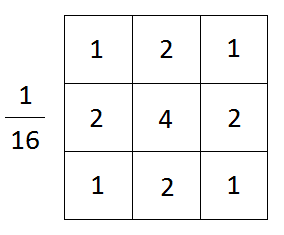
你必须选择合适的内核大小来定义每个像素的邻域。如果太大,图像的细微特征可能会消失,图像看起来会模糊。如果太小,则无法消除图像中的噪点。
5×5高斯核
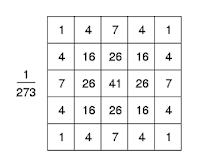
使用OpenCV对图像进行高斯模糊
OpenCV具有内置功能,可轻松对图像执行高斯模糊/平滑处理。只需要指定卷积图像的高斯核的大小即可。这个简单的程序演示了如何使用带有OpenCV的高斯内核来平滑图像。
#include <opencv2/opencv.hpp>
#include <iostream>

using namespace cv;
using namespace std;

int main(int argc, char** argv)
{
	// 读取图像
	Mat image = imread("Lotus.jpeg");

	// 检测失败
    if (image.empty())
    {
        cout << "Could not open or find the image" << endl;
        cin.get(); //等待键盘
        return -1;
    }

    //使用3x3高斯核模糊图像
    Mat image_blurred_with_3x3_kernel;
    GaussianBlur(image, image_blurred_with_3x3_kernel, Size(3, 3), 0);

    //使用5x5高斯核模糊图像
    Mat image_blurred_with_5x5_kernel;
    GaussianBlur(image, image_blurred_with_5x5_kernel, Size(5, 5), 0);

    //创建窗口
    namedWindow("原图");
    namedWindow("3x3高斯核模糊图像");
    namedWindow("5x5高斯核模糊图像");

    //显示图像
    imshow("原图", image);
    imshow("3x3高斯核模糊图像", image_blurred_with_3x3_kernel);
    imshow("5x5高斯核模糊图像", image_blurred_with_5x5_kernel);

    waitKey(0); //等待键盘

    destroyAllWindows(); //毁灭窗口~

    return 0;
}
复制粘贴以上代码,注意把以上的"Lotus.jpeg"换成有效的图像路径。编译运行后,效果如下图:
原图
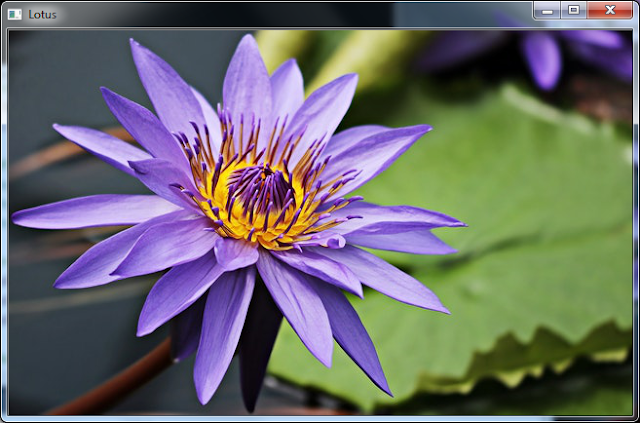
3×3高斯核

5×5高斯核
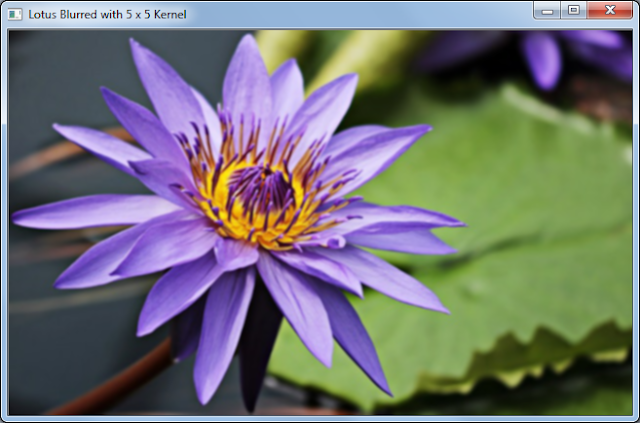
解说
Mat image_blurred_with_3x3_kernel;
blur(image, image_blurred_with_3x3_kernel, Size(3, 3));
上面的函数使用3 x 3归一化框滤镜对原始图像执行均质平滑/模糊操作,并将平滑后的图像存储在image_blurred_with_3x3_kernel Mat对象中。 原始图像中的每个通道都是独立处理的。
Mat image_blurred_with_5x5_kernel;
blur(image, image_blurred_with_5x5_kernel, Size(5, 5));
上面的函数使用5 x 5归一化框滤镜对原始图像执行均质平滑/模糊操作,并将平滑后的图像存储在image_blurred_with_5x5_kernel Mat对象中。 原始图像中的每个通道都是独立处理的。